

The Mercedes‑AMG G63 blends military‑grade off‑road hardware with handcrafted V8 performance, making it one of the most photographed SUVs on the planet. Whether you’re an owner, a fan, or a designer needing a striking backdrop, this guide covers every step — from sourcing pixel‑perfect files to tailoring them for any screen — so your devices reflect the same uncompromising presence the G63 commands on the road.
Why the G63 AMG Makes a Stunning Wallpaper Subject
Few vehicles translate to a static image as powerfully as the G63. Its upright greenhouse, flared arches, and signature side‑exit exhaust create instant visual tension between brute utility and polished luxury. In practice, the strongest wallpapers capture that duality: a matte‑black example crawling red dunes at golden hour, or a designo magno night‑blue unit parked under neon city lights. The model’s timeless silhouette — virtually unchanged since 1979 — also means a 2025‑spec shot feels just as iconic as a first‑generation press photo, giving you decades of distinct visual eras to choose from.
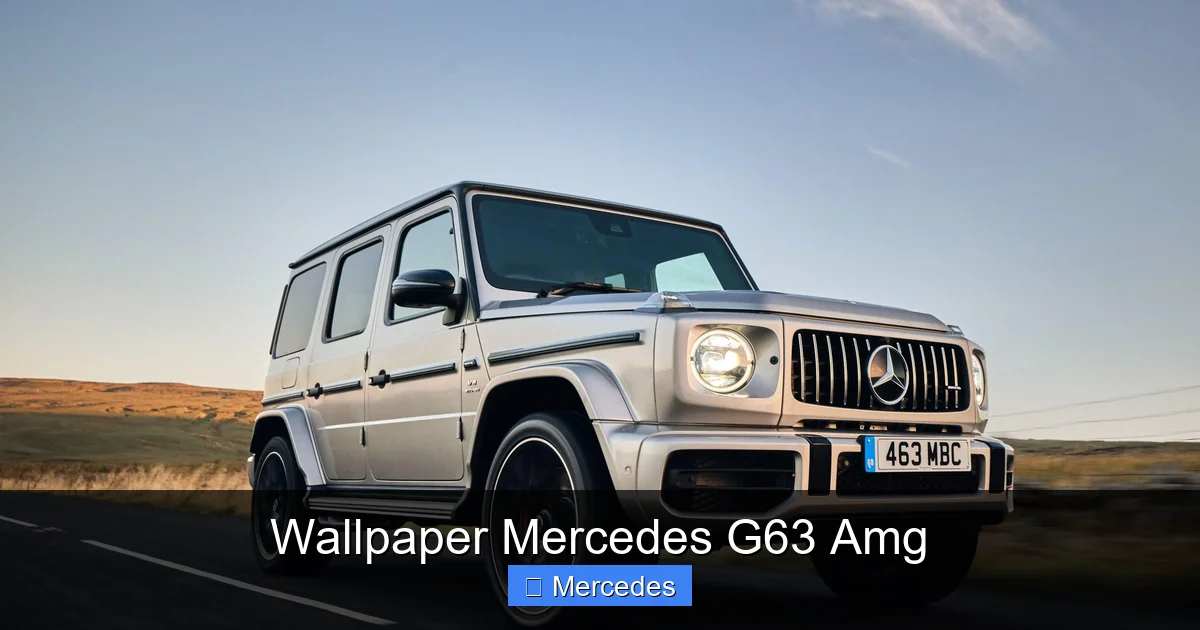 Golden‑hour desert shot highlighting the G63’s boxy stance and AMG‑specific grille.
Image source: wallpapercave.com
For deeper context on how this silhouette evolved from a military hauler to a luxury status symbol, see our overview of SUV heritage.
Best Sources for G63 AMG Wallpapers
Official Mercedes‑Benz Media Center
The brand’s press site (media.mercedes‑benz.com) publishes curated, high‑resolution galleries for every model year. Images are royalty‑free for personal use and often include studio, action, and detail shots unavailable elsewhere. Filter by “G‑Class” and “AMG” to isolate the G63.
Automotive Photography Outlets
Sites like CarScoops, Motor1, and Top Gear embed full‑resolution images in their review galleries. Right‑click → “Save image as…” usually yields 3000 px+ width files. Many also offer short video loops suitable for dynamic desktop tools.
Licensed Stock Platforms
Shutterstock, Adobe Stock, and Getty Images host professionally lit, model‑released assets. Use resolution filters (≥4000 px) and keyword combinations such as “G63 AMG night package” or “G63 carbon fiber trim” to narrow results. These are the only safe choice for commercial projects.
Enthusiast Communities
Reddit’s r/GWagen and r/AMG, plus Instagram hashtags #G63AMG and #GClassOwners, surface owner‑shot photos in real‑world conditions. Always request permission and credit the photographer before repurposing.
Choosing the Right Resolution & Aspect Ratio
A mismatched file looks stretched, cropped, or pixelated. Match your device’s native pixel dimensions exactly — scaling down is harmless; scaling up degrades quality.
| Device Type | Common Native Resolutions | Recommended Minimum Width |
|---|---|---|
| 4K/5K Desktop | 3840×2160, 5120×2880 | 4000 px |
| Ultrawide Monitor | 3440×1440, 5120×2160 | 3500 px |
| MacBook Pro 14/16″ | 3024×1964, 3456×2234 | 3000 px |
| iPhone 15/16 Pro | 1179×2556, 1290×2796 | 1200 px |
| Android Flagships | 1440×3200, 1440×3088 | 1440 px |
| iPad Pro 12.9″ | 2048×2732 | 2000 px |
| Smart TV / 8K | 7680×4320 | 7680 px |
Pro tip: Save a master 7680×4320 PNG and let your OS or a tool like Wallpaper Engine downscale on the fly — this preserves detail on every screen.
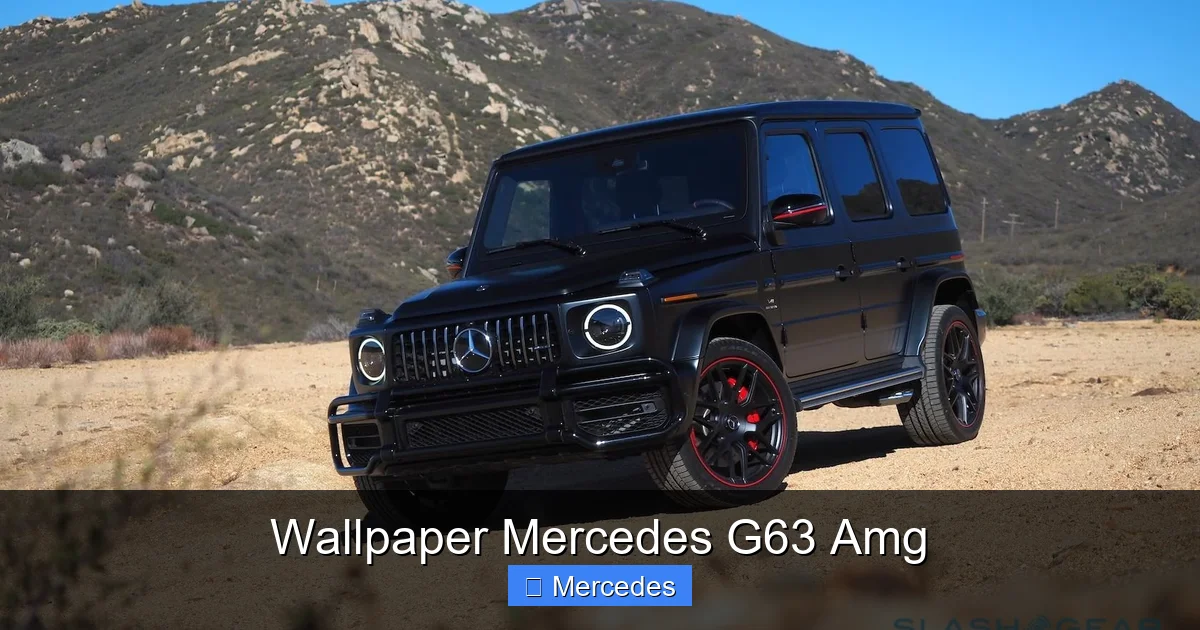 High‑contrast winter action shot demonstrating dynamic range and tire detail.
Image source: wallpapercave.com
How to Evaluate Wallpaper Quality — A Technical Checklist
- Resolution & Compression — Open at 100 % zoom. Inspect grille mesh, brake calipers, and badge lettering. JPEG artifacts around high‑frequency edges indicate over‑compression.
- Color Depth & Dynamic Range — Look for clipped highlights on chrome or crushed shadows in wheel wells. A proper RAW‑processed image retains texture in both.
- Composition Integrity — The G63’s tall greenhouse should not be decapitated; front and rear overhangs must remain visible unless the crop is intentional (e.g., detail abstract).
- File Format — PNG for static (lossless, supports transparency), HEIC/WEBP for HDR displays, MP4/WebM ≤30 s loop for animated.
- Legal Markings — Watermarks, stock‑agency logos, or visible VIN plates = unusable without a license.
A common mistake is downloading a 1920×1080 “4K” thumbnail that was upscaled. Always verify pixel dimensions in file properties.
Creative Ways to Use G63 AMG Wallpapers
- Lock‑screen rotation — Curate 5‑10 seasonal variants (spring bloom, summer desert, autumn forest, winter alpine) and set a daily shuffle on iOS/Android.
- Ultrawide dual‑monitor span — Stitch a left‑facing and right‑facing 3440×1440 shot into a single 6880×1440 panorama for seamless immersion.
- Printed garage art — Order a 24×36″ metal print at 300 DPI (requires ≥7200×10800 source). Matte finish reduces glare under shop lights.
- Video‑call background — Use a subtle, dark‑toned G63 interior shot (dashboard, Burmester speaker grille) for a professional yet personal backdrop.
- Smartwatch face — Crop a 450×450 px detail (AMG steering wheel badge, portal gear hub) for Wear OS or watchOS complications.
Quick win: Download our curated 4K G63 AMG pack from the latest automotive guides and apply in under a minute.
Customizing Your Own G63 AMG Wallpaper
Shoot Your Own
If you have access to a G63, shoot during blue hour (20 min after sunset) with a 24‑35 mm equivalent lens. Use a circular polarizer to control windshield reflections. Bracket exposures (±2 EV) for HDR merging later.
Edit Like a Pro
- RAW develop — Lightroom/Adobe Camera Raw: lift shadows +15, pull highlights –20, clarity +10, dehaze +5.
- Distraction removal — Photoshop: content‑aware fill for stray pedestrians, power lines, license plates.
- Color grade — Apply a subtle cinematic LUT (teal‑orange split tone) at 15 % opacity.
- Sharpen for output — Export‑specific capture sharpening: 40 % amount, 1.0 px radius for 4K; 25 % for mobile.
- Add subtle branding — Place a semi‑transparent “AMG” wordmark in lower‑third corner (font: Mercedes‑Benz Corporate A, 5 % opacity).
Collaborate with Photographers
Many automotive shooters trade portfolio images for social credit. DM them with a clear brief: “Need 3 vertical 9:16 shots of G63 Night Package in urban rain, 6000 px min.” Provide a mood board to align expectations.
Legal & Ethical Considerations
| Use Case | Safe Path | Risk If Ignored |
|---|---|---|
| Personal phone/desktop | Any source, no redistribution | None |
| Social media post (non‑commercial) | Credit photographer, link source | Takedown request, account strike |
| Blog/YouTube thumbnail | Licensed stock or explicit permission | Copyright claim, demonetization |
| Merchandise / client work | Extended license from stock agency or direct deal with photographer | Lawsuit, statutory damages |
For authoritative guidance on U.S. copyright basics, consult the U.S. Copyright Office. Never assume “found on Google” equals free to use.
The G63 AMG Evolution: Visual Cues Across Generations
| Generation | Years | Key Visual Markers for Wallpaper Identification |
|---|---|---|
| W463 (first AMG) | 2012‑2018 | Round headlamps, chrome side‑pipe covers, 5‑spoke 20″ wheels |
| W463A (facelift) | 2019‑2023 | LED light signatures, AMG‑specific Panamericana grille, 22″ forged options |
| W463A (2024 refresh) | 2024‑present | Revised front bumper with larger air curtains, optional carbon‑fiber exterior package, 12.3″ dual‑screen visible through side window |
Knowing these details helps you search precisely — e.g., “2024 G63 carbon fiber mirror caps” — and avoid mislabeled files.
Frequently Asked Questions
Where can I download free high‑quality G63 AMG wallpapers?
Unsplash, Pexels, and the Mercedes‑Benz media center offer free, high‑resolution files for personal use. Always verify the license dropdown before downloading.
Do I need special software to set a G63 AMG wallpaper?
No. Windows, macOS, iOS, and Android all support native setting via right‑click/long‑press → “Set as Wallpaper.” Animated formats require Wallpaper Engine (Windows), Lively Wallpaper (Windows), or Video Live Wallpaper (Android).
Can I create my own G63 AMG wallpaper if I don’t own the car?
Yes. Use reference photos from dealership configurators or press kits as base plates. Composite in Photoshop/Canva with royalty‑free environments (desert, city, forest) from sites like HDRI Haven.
Are there G63 AMG wallpapers featuring specific colors or trims?
Most libraries include designo magno night black, designo diamond white, obsidian black metallic, and the matte “magno” finishes. Filter by “Night Package” for blacked‑out grille, mirrors, and exhaust tips.
How often should I change my G63 AMG wallpaper?
No fixed rule. Seasonal swaps (4×/year) keep the look fresh; model‑year reveals (typically every 4‑5 years) are natural update moments.
Will a G63 AMG wallpaper drain my phone’s battery faster?
Static images have zero measurable impact. Animated/video wallpapers consume ~3‑5 % more battery per hour on OLED panels; switch to static if endurance is critical.
Conclusion
A Mercedes‑AMG G63 wallpaper does more than decorate a screen — it distills decades of engineering defiance into a single frame you glance at dozens of times daily. By sourcing from authoritative outlets, matching exact pixel dimensions, and respecting copyright, you ensure every unlock or desktop glance delivers the same visceral punch the real truck delivers on a gravel straight. Ready to upgrade your backdrop? Grab a vetted 4K file, apply the resolution checklist above, and let the G63’s unmistakable silhouette set the tone for your next project, commute, or adventure.
Explore more deep‑dives on iconic SUVs at our blog hub.
Related Guides & Resources
Deepen your G‑Class knowledge with these focused reads:
- The core definition of an SUV explains why the G‑Class occupies a unique niche.
- Fuel‑requirement breakdowns for the wider lineup: which Mercedes demand premium, the pros and cons of regular, and model‑specific guidance.
- For a collector’s perspective, see the Hot Wheels AMG GT3 review — a reminder that the AMG badge extends far beyond the G‑Wagen.
- If you cross‑shop mainstream premium SUVs, our Toyota RAV4 XLE Premium deep dive contrasts Japanese refinement with German brute force.
- Track market timing with current pricing trends before your next upgrade.