
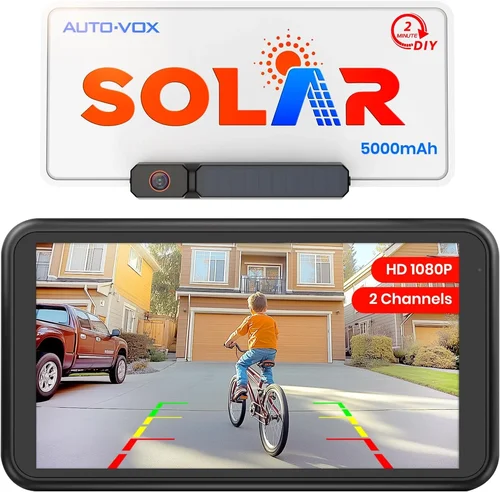
SUVs are among the most popular vehicles on the road today—offering space, versatility, and a commanding view of the road. But that elevated driving position comes with a trade-off: larger blind spots, especially directly behind the vehicle. Whether you’re backing into a tight parking spot, hitching a trailer, or navigating a crowded driveway, seeing what’s behind you is critical for safety. That’s where a wireless backup camera for your SUV becomes not just a convenience, but a necessity.
While many modern SUVs come equipped with factory-installed backup cameras, older models or base trims often lack this essential feature. Even for newer SUVs, the built-in systems may not offer the clarity, range, or flexibility you need—especially if you frequently tow, off-road, or drive in low-light conditions. This is why aftermarket wireless backup cameras have surged in popularity. They’re affordable, easy to install, and can dramatically improve your awareness when reversing. But with so many options on the market, choosing the right one can feel overwhelming.
This comprehensive buying guide is designed to cut through the noise and help you make a smart, informed decision. Whether you’re a first-time buyer or upgrading from an older model, you’ll learn everything you need to know about wireless backup cameras for SUVs. We’ll cover key features to look for, common pitfalls to avoid, budget considerations, and expert tips to get the best value. By the end, you’ll have the confidence to choose a system that fits your SUV, your driving habits, and your safety needs.
The market for wireless backup cameras has evolved rapidly over the past few years. What once required complex wiring and professional installation can now be set up in under 30 minutes with minimal tools. Advances in wireless transmission, image sensors, and display technology have made these systems more reliable and feature-rich than ever. From HD resolution and night vision to waterproof designs and smartphone integration, today’s wireless cameras offer capabilities that rival—and sometimes exceed—factory systems.
But not all wireless backup cameras are created equal. Some prioritize ease of use, while others focus on rugged durability or advanced functionality. Some work seamlessly with your SUV’s existing infotainment screen, while others come with their own dedicated monitor. And while wireless systems eliminate the need for running cables from the back to the front of your vehicle, they introduce new considerations like signal interference, battery life, and transmission range.
In this guide, we’ll walk you through every critical factor to consider, compare the different types of systems available, and help you avoid the most common buying mistakes. We’ll also break down pricing tiers, share insider tips for getting the best deal, and answer frequently asked questions based on real-world use. Whether you drive a compact crossover like a Honda CR-V or a full-size SUV like a Ford Expedition, this guide will help you find the perfect wireless backup camera to keep you and your passengers safe.

What to Look for When Buying a Wireless Backup Camera for Your SUV
1. Video Resolution and Image Quality
When it comes to backup cameras, image clarity is paramount. A blurry or pixelated feed can be worse than no camera at all—it gives you a false sense of security. Look for cameras that offer at least 720p HD resolution, with 1080p Full HD being the ideal standard for most SUV owners. Higher resolution ensures you can clearly see obstacles, curbs, children, pets, or low-lying objects that might be hidden from view.
But resolution isn’t the only factor affecting image quality. The sensor type matters too. CMOS sensors are standard in most consumer cameras and offer good performance in daylight. However, for low-light or nighttime driving, look for cameras with enhanced night vision capabilities—typically achieved through infrared (IR) LEDs or wide dynamic range (WDR) technology. WDR helps balance exposure in challenging lighting, such as when backing out of a dark garage into bright sunlight.
Field of view (FOV) is another critical specification. A wider angle—ideally between 120° and 170°—gives you a broader view behind your SUV, reducing blind spots. However, extremely wide angles can cause distortion (fisheye effect), so aim for a balance. Some cameras offer adjustable viewing angles or multiple lenses for different scenarios.
2. Wireless Transmission Range and Signal Stability
One of the biggest advantages of wireless backup cameras is the elimination of long wiring runs from the rear to the front of your SUV. But this convenience hinges on reliable wireless transmission. Most systems use either 2.4GHz or 5.8GHz radio frequencies to send the video signal from the camera to the monitor.
The 2.4GHz band is more common and offers better wall penetration, but it’s also crowded—Wi-Fi routers, Bluetooth devices, and other electronics can cause interference. The 5.8GHz band is less congested and offers faster data transfer, resulting in smoother, lag-free video. However, it has a shorter effective range and can be blocked more easily by obstacles.
Look for cameras with a transmission range of at least 30 to 50 feet. This ensures the signal remains strong even when your SUV is fully extended (e.g., with a trailer attached). Some premium models use digital transmission with encryption, which reduces interference and improves reliability. Avoid analog systems if possible—they’re more prone to static and signal dropouts.
Signal latency is another concern. A delay of more than 0.5 seconds between the camera and monitor can make it difficult to judge distances accurately. High-quality systems typically have latency under 0.3 seconds, which feels nearly instantaneous.
3. Build Quality and Weather Resistance
Your backup camera will be mounted on the exterior of your SUV—exposed to rain, snow, dust, road salt, and temperature extremes. That’s why durability is non-negotiable. Look for cameras with an IP67 or IP68 waterproof rating. IP67 means the camera can withstand immersion in up to 1 meter of water for 30 minutes, while IP68 offers even greater protection.
The housing should be made from robust materials like aluminum alloy or high-impact polycarbonate. Avoid plastic housings that can crack or fade over time. The lens should be scratch-resistant, preferably made from glass rather than plastic.
Temperature tolerance is also important. Check the operating temperature range—most quality cameras function from -22°F to 140°F (-30°C to 60°C). This ensures reliable performance in both freezing winters and scorching summers.
Mounting hardware should be sturdy and corrosion-resistant. Stainless steel screws and brackets are ideal. Some cameras come with adhesive mounts, but for long-term reliability, screw-mounted installations are recommended.
4. Monitor Type and Display Quality
The monitor is your window to what’s behind your SUV, so it needs to be clear, responsive, and easy to read. Most wireless systems come with a dedicated LCD screen, typically ranging from 4.3 to 7 inches. Larger screens offer better visibility but may be distracting if placed poorly.
Resolution matters here too. A 7-inch screen with 480p resolution will look pixelated, while a 5-inch 1080p display offers sharp, detailed images. Look for monitors with anti-glare coatings and adjustable brightness to ensure visibility in direct sunlight.
Some systems allow you to connect the camera to your SUV’s existing infotainment screen via RCA or HDMI input. This is a great option if you prefer a seamless, integrated look. However, not all head units support video input while driving, so check your vehicle’s compatibility.
Placement is crucial. The monitor should be mounted where it’s easily visible without requiring you to turn your head sharply. Common locations include the dashboard, windshield (using a suction mount), or rearview mirror (with a mirror-integrated display). Avoid placing it in your direct line of sight while driving forward.
5. Power Source and Battery Life
Wireless backup cameras need power—both for the camera and the monitor. Most systems draw power from your SUV’s electrical system. The camera is typically wired to the reverse light circuit, so it activates automatically when you shift into reverse. This is the most reliable and convenient setup.
However, some portable or trailer-mounted cameras use rechargeable batteries. These are useful for temporary installations or when wiring isn’t feasible. Battery life varies widely—from 4 to 12 hours on a single charge. Look for models with USB-C charging and low-battery indicators.
The monitor usually plugs into a 12V cigarette lighter or USB port. Some high-end models have built-in batteries for portable use, but for daily driving, a wired connection is more practical.
Avoid systems that rely solely on disposable batteries—they’re inconvenient and can die at the worst possible time.
6. Ease of Installation
One of the main selling points of wireless backup cameras is their ease of installation. Most systems can be set up in under an hour with basic tools. The camera mounts to the license plate frame or bumper, and the monitor attaches to the dashboard or windshield.
Look for kits that include all necessary hardware: mounting brackets, screws, power cables, and adhesive pads. Clear, illustrated instructions are a must. Some brands offer video tutorials or customer support to guide you through the process.
Avoid systems that require drilling into your SUV’s body unless absolutely necessary. License plate mounts are the most common and least invasive option.
If you’re not comfortable with electrical work, consider a plug-and-play model that connects to your OBD-II port or uses a magnetic mount with a quick-disconnect power cable.
7. Additional Features and Smart Functionality
Modern wireless backup cameras come with a range of advanced features that enhance safety and convenience. Here are some to look for:
– Guidelines and Parking Assist Lines: Dynamic or static grid lines help you judge distance and alignment. Some systems adjust the lines based on steering input.
– Night Vision: Infrared LEDs illuminate the area behind your SUV in total darkness, often up to 30 feet.
– Wide Dynamic Range (WDR): Balances exposure in high-contrast lighting, such as backing out of a garage.
– Motion Detection and Recording: Some cameras double as dash cams, recording footage when motion is detected.
– Smartphone Integration: Apps allow you to view the camera feed on your phone, adjust settings, or save recordings.
– Multi-Camera Support: Ideal for larger SUVs or trailers, allowing you to switch between multiple camera views.
While these features are nice to have, prioritize core functionality first. A camera with excellent image quality and reliable transmission is better than one packed with gimmicks that don’t work well.
8. Brand Reputation and Customer Support
Not all wireless backup camera brands are created equal. Stick with reputable manufacturers known for quality and reliability. Brands like Garmin, Auto-Vox, Furrion, and eRapta have strong track records in the automotive aftermarket.
Check customer reviews on platforms like Amazon, Best Buy, or specialized forums. Look for patterns—consistent complaints about signal dropouts or poor build quality are red flags.
Warranty and support matter too. A good warranty (typically 1–2 years) shows the manufacturer stands behind their product. Responsive customer service can save you hours of frustration if something goes wrong.
Avoid no-name brands sold exclusively through third-party sellers. They often lack support and may disappear if issues arise.
Different Types of Wireless Backup Cameras for SUVs

Common Buying Mistakes to Avoid
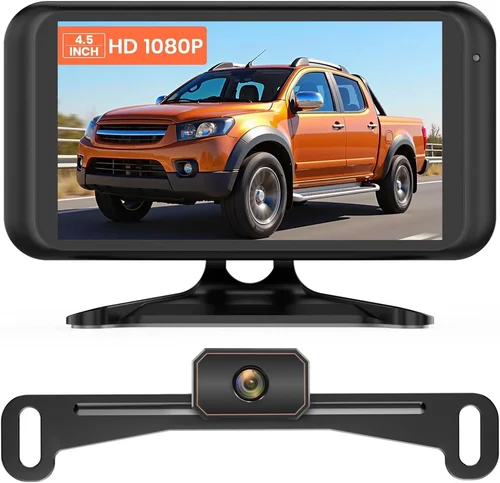
❌ Mistake: Prioritizing Price Over Quality
Why it’s bad: The cheapest wireless backup cameras often use low-resolution sensors, weak transmitters, and flimsy housings. They may work initially but fail within months—or worse, give you a false sense of security with a blurry or delayed feed.
What to do instead: Set a realistic budget and focus on value, not just cost. A $100 camera with 1080p resolution, night vision, and a 2-year warranty is a better investment than a $40 model that breaks after one winter.
❌ Mistake: Ignoring Wireless Signal Interference
Why it’s bad: If your SUV is parked near Wi-Fi routers, cordless phones, or other 2.4GHz devices, the camera signal can drop or become laggy. This is especially dangerous when backing up at low speeds.
What to do instead: Choose a camera that uses 5.8GHz transmission or digital signal processing. Test the system in your typical parking environment before finalizing the installation.
❌ Mistake: Overlooking Night Vision Capabilities
Why it’s bad: Many accidents happen at night or in low-light conditions. A camera without night vision is nearly useless when backing out of a dark garage or dimly lit street.
What to do instead: Always check for infrared (IR) LEDs or WDR technology. Look for cameras that specify a night vision range (e.g., “up to 30 feet”).
❌ Mistake: Choosing the Wrong Monitor Size or Placement
Why it’s bad: A monitor that’s too small is hard to see, while one that’s too large can block your view or be distracting. Poor placement forces you to look away from the road.
What to do instead: Opt for a 5- to 7-inch screen and mount it where it’s easily visible without shifting your focus. Use a suction mount or adhesive pad that doesn’t obstruct your view.
❌ Mistake: Skipping the Test Drive
Why it’s bad: Even the best specs don’t guarantee real-world performance. Signal strength, image clarity, and activation speed can vary based on your SUV’s design and environment.
What to do instead: After installation, test the camera in different conditions—day, night, rain, and when towing. Make sure it activates instantly when you shift into reverse.
❌ Mistake: Not Checking Compatibility with Your SUV
Why it’s bad: Some cameras don’t work well with certain vehicle electronics or infotainment systems. Others may not fit your license plate frame.
What to do instead: Read the product description carefully and check compatibility lists. If in doubt, contact the manufacturer or look for user reviews from owners of your SUV model.
❌ Mistake: Ignoring Warranty and Return Policies
Why it’s bad: If the camera fails or doesn’t meet your expectations, a short warranty or strict return policy can leave you stuck with a useless product.
What to do instead: Choose brands with at least a 1-year warranty and a 30-day return window. Read the fine print—some warranties don’t cover water damage or user error.
Budget Guidelines: How Much Should You Spend?
– Entry-Level ($50–$100): These cameras offer basic functionality—720p resolution, 2.4GHz transmission, and simple mounting. They’re suitable for occasional use or older SUVs. Expect limited night vision and shorter transmission ranges. Best for budget-conscious buyers who need a simple solution.
– Mid-Range ($100–$200): This is the sweet spot for most SUV owners. You’ll get 1080p resolution, 5.8GHz wireless, better night vision, and improved build quality. Many include parking guidelines, WDR, and easy installation kits. Ideal for daily drivers who want reliability and features without overspending.
– Premium ($200–$350): These systems offer top-tier performance—ultra-clear video, digital transmission, multi-camera support, and advanced features like motion detection or smartphone apps. Built for enthusiasts, frequent towers, or off-roaders who demand the best.
– Luxury ($350+): High-end models from brands like Garmin or Furrion offer professional-grade durability, 4K resolution, integrated displays, and seamless integration with vehicle systems. These are overkill for most users but ideal for RVs, commercial fleets, or luxury SUV owners.
Expert Tips for Getting the Best Deal
– Buy During Seasonal Sales: Look for discounts during Black Friday, Cyber Monday, or end-of-summer clearance events. Many retailers offer 20–30% off automotive accessories.
– Shop at Reputable Retailers: Stick to trusted stores like Amazon, Best Buy, AutoZone, or Crutchfield. They offer buyer protection, easy returns, and reliable customer service.
– Compare Bundles: Some kits include extra cables, mounts, or dash cam features. These can offer better value than buying components separately.
– Check for Rebates or Promotions: Manufacturers occasionally offer mail-in rebates or free shipping. Sign up for newsletters to stay informed.
– Read Return Policies Carefully: Ensure you can return the product if it doesn’t work with your SUV. Some stores charge restocking fees.
– Test Before Finalizing Installation: Power up the system and check the image quality, signal strength, and activation speed before securing all mounts.
– Consider Professional Installation: If you’re unsure about wiring, pay a mechanic or car audio shop to install it. It’s often cheaper than fixing a botched DIY job.
– Keep Your Receipt and Warranty Info: Store them digitally and physically. You’ll need them if you need support or a replacement.

Frequently Asked Questions
Q: Can I install a wireless backup camera myself?
A: Yes, most wireless backup cameras are designed for DIY installation. You’ll need basic tools like a screwdriver, drill (optional), and wire strippers. The camera mounts to the license plate or bumper, and the monitor attaches to the dashboard. Wiring to the reverse light is straightforward, but if you’re uncomfortable with electrical work, consider professional help.
Q: Will a wireless camera work with my SUV’s existing screen?
A: It depends. Some cameras output via RCA or HDMI and can connect to compatible head units. However, many factory systems don’t allow video input while driving. Check your vehicle’s manual or consult a car audio specialist. Alternatively, use the included monitor for a dedicated display.
Q: How far does the wireless signal reach?
A: Most systems have a range of 30 to 50 feet. This is sufficient for standard SUVs and even small trailers. However, metal objects, walls, and electronic interference can reduce range. Choose a 5.8GHz model for better performance in crowded environments.
Q: Do wireless cameras work in the rain or snow?
A: Yes, if they have an IP67 or IP68 rating. These cameras are sealed against water and dust. However, heavy rain or snow can temporarily obscure the lens. Some models include lens heaters to prevent ice buildup.
Q: Can I use a wireless backup camera while driving forward?
A: Most systems only activate when the vehicle is in reverse. This is a safety feature to prevent distraction. However, some multi-camera systems allow you to switch views manually for monitoring trailers or off-road terrain.
Q: How long do the batteries last in portable models?
A: Rechargeable battery-powered cameras typically last 4 to 12 hours on a single charge, depending on usage and features like night vision. USB-C charging is faster and more convenient than older micro-USB ports.
Q: Are wireless backup cameras legal?
A: Yes, in most countries, including the U.S., Canada, and the EU. However, regulations vary. In the U.S., the NHTSA requires all new vehicles to have backup cameras, but aftermarket systems are permitted as long as they don’t obstruct the driver’s view or violate safety standards.
Q: Can I use multiple cameras with one monitor?
A: Yes, many premium systems support multiple cameras. You can install one at the rear, one on a trailer, and even side cameras for lane changes. The monitor allows you to switch between views manually or automatically.
Q: What if the signal drops out?
A: Signal dropouts are usually caused by interference or low battery. Try switching to a less congested frequency (if available), moving the monitor closer to the camera, or ensuring both units are fully charged. If problems persist, contact the manufacturer.
Q: Do I need a backup camera if my SUV already has one?
A: Not necessarily, but an aftermarket camera can offer better resolution, wider angles, or additional features like night vision or multi-camera support. It’s especially useful if your factory system is outdated or limited.
Our Final Recommendations
– Best for Budget-Conscious Buyers: eRapta ERT01 – Offers 1080p resolution, night vision, and easy installation for under $100. Great value for the price.
– Best Overall Value: Auto-Vox T1400 – Combines 1080p video, 5.8GHz transmission, and a 7-inch monitor with parking guidelines. Reliable and feature-rich.
– Best Premium Option: Garmin BC 40 – Wireless, compact, and integrates with compatible Garmin GPS units. Ideal for tech-savvy drivers.
– Best for Beginners: Furrion Vision S 7-Inch – Simple setup, clear instructions, and excellent image quality. Perfect for first-time users.
– Best for Advanced Users: Rear View Safety RVS-7706 – Supports up to 4 cameras, 1080p resolution, and digital transmission. Built for towing and off-roading.
Conclusion: Making the Right Choice
Choosing the right wireless backup camera for your SUV doesn’t have to be complicated. By focusing on key factors like image quality, signal reliability, build durability, and ease of installation, you can find a system that enhances your safety and confidence on the road. Avoid common pitfalls like prioritizing price over performance or ignoring night vision capabilities.
Remember, the best camera is the one that fits your specific needs—whether you’re navigating city streets, towing a trailer, or exploring off the beaten path. Take the time to research, compare options, and test before you commit. With the right wireless backup camera, you’ll turn one of the most challenging aspects of driving an SUV into a simple, stress-free experience.
Investing in a quality backup camera is not just about convenience—it’s about protecting yourself, your passengers, and others on the road. Don’t wait until it’s too late. Upgrade your SUV today and drive with peace of mind.