
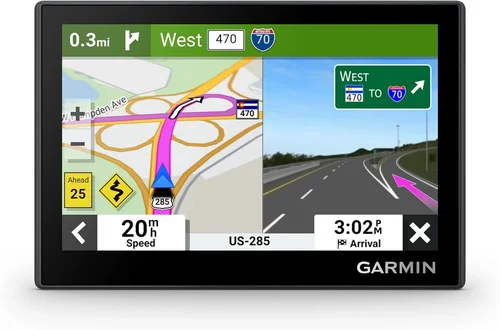
Whether you’re planning a cross-country road trip, navigating busy city streets, or simply trying to find the quickest route to your next adventure, a reliable GPS navigation system is no longer a luxury—it’s a necessity for modern SUV owners. With the rise of complex traffic patterns, construction zones, and ever-changing road networks, relying solely on your smartphone’s mapping app can leave you frustrated, delayed, or even lost. That’s where a dedicated SUV GPS navigation system comes in: offering enhanced accuracy, larger displays, rugged durability, and features tailored specifically for larger vehicles.
This comprehensive buying guide is designed to help you cut through the noise and make an informed decision when choosing the best GPS navigation system for your SUV in 2026. We’ll walk you through every critical factor—from screen size and mounting options to real-time traffic updates and off-road capabilities. Whether you’re a weekend warrior exploring national parks or a daily commuter dealing with urban congestion, this guide will equip you with the knowledge to select a system that fits your lifestyle, budget, and driving needs. By the end, you’ll understand not only what to look for but also how to avoid common pitfalls and get the best value for your investment.
The market for SUV GPS systems has evolved dramatically over the past few years. Gone are the days of clunky, outdated devices with static maps and slow processors. Today’s top-tier models offer lightning-fast route calculations, voice-activated controls, smartphone integration, and even integration with vehicle diagnostics. At the same time, budget-friendly options have become more capable than ever, making advanced navigation accessible to a wider audience. With so many choices available—from standalone units to built-in infotainment upgrades—it’s easy to feel overwhelmed. This guide simplifies the process by breaking down the essentials, comparing key categories, and offering expert-backed recommendations to ensure you drive away with confidence.

What to Look for When Buying Buying Guide
1. Screen Size and Display Quality
One of the most important considerations when choosing a GPS navigation system for your SUV is the screen size and display quality. SUVs typically have larger dashboards and windshields, which means you’ll benefit from a bigger, clearer screen that’s easy to read at a glance—especially when driving at highway speeds or in bright sunlight. Most modern systems range from 5 inches to 9 inches diagonally, with 6.2 to 7 inches being the sweet spot for most SUVs. A larger screen allows for better visibility of maps, turn-by-turn directions, and split-screen views (like showing traffic alerts alongside your route).
Look for displays with high resolution (at least 800×480 pixels) and anti-glare coatings to reduce reflections during daytime driving. OLED or high-brightness LCD screens perform better in direct sunlight compared to standard LCDs. Additionally, consider touchscreen responsiveness—laggy or unresponsive screens can be frustrating and even dangerous while driving. Some premium models now feature capacitive touchscreens (similar to smartphones), which offer smoother navigation and multi-touch gestures like pinch-to-zoom.
2. Map Coverage and Update Frequency
Accurate, up-to-date maps are the backbone of any reliable GPS system. Outdated maps can lead to incorrect directions, missed exits, or even unsafe routing—especially in rapidly developing areas. When evaluating a GPS unit, check whether it includes lifetime map updates. Many reputable brands like Garmin, TomTom, and Magellan offer free lifetime updates for North America, Europe, or other regions, which can save you hundreds of dollars over time.
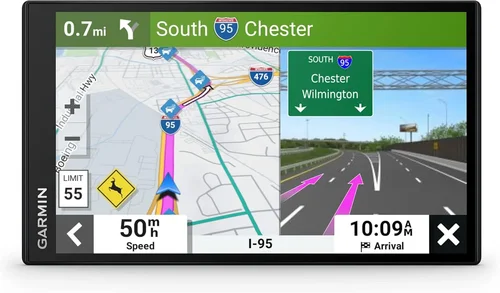
Also consider the geographic coverage. If you travel internationally or frequently cross state or national borders, ensure the device supports maps for those regions. Some systems allow you to download additional map packs via Wi-Fi or USB. Additionally, look for features like 3D landmarks, junction views, and lane guidance, which enhance clarity when approaching complex interchanges or urban environments.
Another critical aspect is how updates are delivered. Wi-Fi-enabled models allow for seamless over-the-air updates, eliminating the need to connect to a computer. This is especially convenient for users who don’t want to deal with cables or software installations. Always verify the update policy before purchasing—some “lifetime” plans may only cover basic map data and exclude traffic or speed camera updates.
3. Real-Time Traffic and Dynamic Routing
Real-time traffic information is one of the most valuable features in modern GPS systems, particularly for SUV drivers who often travel long distances or commute in congested areas. Systems with live traffic data can automatically reroute you around accidents, construction, or heavy congestion, saving time and reducing stress. Most premium models include this feature via built-in cellular connectivity (often through a subscription service) or by pairing with your smartphone via Bluetooth.
Look for systems that offer dynamic rerouting—meaning they continuously monitor traffic conditions and suggest alternate routes without requiring manual input. Some advanced units even predict traffic patterns based on historical data and time of day. For example, if you regularly commute at 8 a.m., the GPS might learn your route and proactively suggest a faster path if typical delays are expected.
Be aware that real-time traffic often requires a subscription (e.g., Garmin’s Traffic service or TomTom’s HD Traffic). While some devices include a free trial, ongoing use may cost $5–$15 per month. However, many users find the time savings and reduced fuel consumption well worth the expense. If you rarely encounter traffic, a basic model without live updates may suffice—but for frequent travelers, it’s a game-changer.
4. Mounting Options and Installation Flexibility
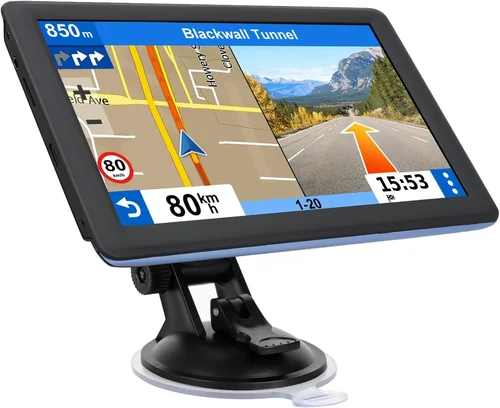
Since SUVs have varied dashboard layouts and larger windshields, mounting your GPS securely and conveniently is essential. Most units come with a suction cup mount that attaches to the windshield or dashboard, but the quality and adjustability of these mounts vary widely. Look for mounts with strong suction, flexible arms, and secure locking mechanisms to prevent the device from shifting or falling during sudden stops or off-road driving.
Some systems offer alternative mounting solutions, such as adhesive dash mounts or vent clips, which can be useful if you prefer not to block your view with a windshield mount. Premium models may include magnetic mounts or custom-fit brackets designed for specific vehicle models. Additionally, consider cable management—long power cords can clutter your cabin. Devices with shorter cables or wireless charging capabilities (when paired with compatible mounts) help keep things tidy.
For those who want a more integrated look, aftermarket dash kits allow you to install the GPS into your vehicle’s existing stereo slot, giving it a factory-installed appearance. However, this requires more technical skill and may void certain warranties. Always check compatibility with your SUV’s make and model before attempting a custom installation.
5. Voice Control and Hands-Free Operation
With distracted driving laws becoming stricter and safety awareness increasing, voice control has become a must-have feature in any modern GPS system. The ability to enter destinations, search for points of interest (POIs), or adjust settings using voice commands keeps your hands on the wheel and eyes on the road. Most high-end models support natural language processing, allowing you to say things like “Find the nearest gas station” or “Navigate home” without touching the screen.
Look for systems with built-in microphones and noise-canceling technology to ensure your commands are recognized even in noisy environments like highways or off-road trails. Some devices also integrate with Apple Siri or Google Assistant, enabling broader functionality such as sending texts, making calls, or controlling smart home devices. However, full integration typically requires a paired smartphone.
Another hands-free benefit is spoken turn-by-turn directions with street names (e.g., “In 500 feet, turn left onto Main Street”). This eliminates the need to glance at the screen constantly. Ensure the voice clarity is good and the volume is adjustable—some systems can be too quiet in loud vehicles or too loud in quiet cabins.
6. Off-Road and Specialized Navigation Features
Not all SUVs are used solely for city driving. If you enjoy overlanding, camping, or exploring unpaved roads, you’ll need a GPS system with off-road capabilities. Standard road-only maps won’t cut it when you’re navigating forest service roads, mountain trails, or remote desert paths. Look for devices that support topographic maps, trail databases, and coordinate-based navigation (like latitude/longitude or UTM).
Brands like Garmin offer specialized models such as the Overlander or Montana series, which include preloaded topographic maps, waypoint marking, and route planning for off-grid adventures. These units often feature rugged, waterproof designs with enhanced GPS receivers that maintain signal strength in canyons or dense forests. Some even support external antenna connections for improved accuracy in challenging terrain.
Additionally, consider features like elevation profiles, compass headings, and trip logging. These tools help you track your progress, avoid getting lost, and share your routes with others. If you frequently tow trailers or drive large SUVs, look for systems that account for vehicle height, weight, and length when calculating routes—some premium models can avoid low bridges, narrow roads, or weight-restricted zones.
7. Connectivity and Smartphone Integration
In today’s connected world, seamless integration with your smartphone enhances both convenience and functionality. Most modern GPS systems support Bluetooth pairing, allowing you to receive calls, stream music, and access notifications directly on the device. More advanced models offer Wi-Fi connectivity for over-the-air updates and app integration.
Look for compatibility with Apple CarPlay and Android Auto if you want to mirror your phone’s interface on the GPS screen. While these features are more common in built-in infotainment systems, some portable GPS units now support them via USB or wireless connections. This allows you to use Google Maps, Waze, or other preferred navigation apps with the larger screen and better GPS antenna of the dedicated unit.
Another useful feature is smartphone syncing for saved locations, recent searches, and favorites. This ensures your home, work, and frequent destinations are always accessible, even if you switch devices. Some systems also allow you to send destinations from your phone to the GPS with a single tap—ideal for planning trips on a larger screen at home.
8. Battery Life and Power Options
While most GPS systems are designed to be powered by your vehicle’s cigarette lighter or USB port, battery life still matters—especially if you use the device outside the car (e.g., for hiking or as a handheld navigator). Standalone units with rechargeable batteries typically offer 1–3 hours of runtime, which may be sufficient for short trips but insufficient for extended use.
If you plan to use your GPS beyond driving—such as for geocaching, biking, or emergency navigation—opt for a model with a long-lasting battery (4+ hours) and power-saving modes. Some devices include dual power options: plug-in for driving and battery for portability. Additionally, check charging speed and whether the unit can charge while in use.
For SUVs with multiple power outlets or USB ports, ensure the included charger is compatible and doesn’t interfere with other devices. Some high-draw GPS units may require a dedicated 12V outlet to function properly, especially when running traffic updates or voice navigation simultaneously.
Different Types of Buying Guide

Common Buying Mistakes to Avoid
❌ Mistake: Ignoring Map Update Policies
Why it’s bad: Buying a GPS without checking whether it includes free map updates can lead to outdated directions and missed roads. Many users assume all devices come with lifetime updates, but some only offer one or two years—or charge per update.
What to do instead: Always verify the update policy before purchasing. Look for “lifetime map updates” in the product description and read the fine print. Prefer brands with a proven track record of regular, hassle-free updates.
❌ Mistake: Choosing Based Solely on Price
Why it’s bad: The cheapest GPS may lack essential features like real-time traffic, voice control, or accurate routing. You might end up frustrated or needing to replace it within a year.
What to do instead: Balance cost with functionality. A mid-range model ($150–$250) often offers the best value, including reliable performance, good screen quality, and essential smart features.
❌ Mistake: Overlooking Mounting Compatibility
Why it’s bad: A poorly designed mount can cause the GPS to fall, block your view, or vibrate excessively on rough roads—especially in larger SUVs with more cabin movement.
What to do instead: Test the mount in your vehicle if possible, or read user reviews about stability. Consider purchasing a high-quality third-party mount if the included one is flimsy.
❌ Mistake: Assuming All GPS Units Work Offline
Why it’s bad: Some budget models rely heavily on smartphone data for traffic and search functions. Without a phone connection, they become nearly useless.
What to do instead: Choose a device with robust offline capabilities—preloaded maps, local POI databases, and standalone GPS receivers. This ensures functionality even in remote areas with no cell service.
❌ Mistake: Neglecting Voice Command Quality
Why it’s bad: Poor voice recognition leads to repeated commands, frustration, and increased distraction while driving.
What to do instead: Look for systems with high user ratings for voice accuracy. Test the feature in noisy environments if possible, or rely on reviews from users with similar driving conditions.
❌ Mistake: Buying Without Considering Vehicle Size
Why it’s bad: Standard GPS units may not account for the height, width, or turning radius of large SUVs, leading to unsafe routing (e.g., suggesting narrow alleys or low-clearance tunnels).
What to do instead: Select a model that allows you to input your vehicle’s dimensions. Premium systems like Garmin’s “Truck” or “RV” modes are ideal for full-size SUVs.
❌ Mistake: Skipping User Reviews and Real-World Testing
Why it’s bad: Marketing specs don’t always reflect real performance. A device with “fast processor” on paper may still lag in practice.
What to do instead: Read verified customer reviews, especially those mentioning long-term use, reliability, and customer support. Watch video demos to see the interface in action.
Budget Guidelines: How Much Should You Spend?
Entry-Level ($80 – $150): These models are ideal for occasional drivers or those on a tight budget. Expect basic navigation with preloaded maps, simple touchscreens, and limited features. Real-time traffic and voice control are rare. Brands like Rand McNally and older Garmin models fit here. Great for straightforward city driving but may lack durability or advanced functionality.
Mid-Range ($150 – $300): This is the sweet spot for most SUV owners. Devices in this range offer high-resolution screens, lifetime map updates, real-time traffic (often via smartphone), voice commands, and reliable performance. Models like the Garmin DriveSmart 66 or TomTom GO Supreme deliver excellent value with minimal compromises. Perfect for daily commuting, road trips, and light off-road use.
Premium ($300 – $500): Designed for enthusiasts and frequent travelers, these systems include advanced features like 3D maps, lane assist, junction views, Wi-Fi updates, and enhanced GPS accuracy. Some support off-road navigation or integration with dash cams. Ideal for those who want top-tier performance without upgrading their entire infotainment system.
Luxury ($500+): These are typically built-in or professionally installed systems with large displays (8–10 inches), seamless smartphone integration, premium audio compatibility, and vehicle-specific customization. Often found in high-end SUVs or as aftermarket upgrades. Best for users who prioritize aesthetics, integration, and cutting-edge technology.
Expert Tips for Getting the Best Deal
- Shop During Holiday Sales: Black Friday, Cyber Monday, and end-of-year clearance events often feature significant discounts on GPS systems. Retailers like Amazon, Best Buy, and Walmart typically offer 20–40% off top models.
- Buy Refurbished from Reputable Sellers: Certified refurbished units from Garmin, TomTom, or authorized dealers come with warranties and are often indistinguishable from new—at a fraction of the cost.
- Check for Bundle Deals: Some retailers offer GPS units bundled with mounts, cases, or memory cards. These can save you $20–$50 compared to buying separately.
- Use Price Tracking Tools: Websites like CamelCamelCamel (for Amazon) or Honey can alert you when prices drop on specific models.
- Consider Subscription Costs: Factor in ongoing fees for traffic services or map updates. A cheaper device with expensive subscriptions may cost more long-term.
- Test Before You Buy (If Possible): Visit a local electronics store to try out the interface, screen clarity, and mount quality. Hands-on experience reveals flaws that specs don’t show.
- Read the Return Policy: Ensure you can return or exchange the device if it doesn’t meet your expectations. Some retailers offer 30–60 day return windows.
- Look for Extended Warranties: While most GPS units are reliable, an extended warranty can provide peace of mind, especially for premium models.

Frequently Asked Questions
Q: Do I really need a dedicated GPS if my phone has Google Maps?
A: While smartphone apps like Google Maps and Waze are excellent, they have limitations: battery drain, reliance on cellular data, smaller screens, and potential signal loss in remote areas. A dedicated GPS offers a larger display, better GPS antenna (for stronger signal), longer battery life (when unplugged), and features like lane guidance and offline maps—making it ideal for long trips, rural driving, or areas with poor reception.
Q: Can I use a car GPS in my SUV?
A: Yes, most portable GPS units are vehicle-agnostic and work in any car, SUV, or truck. However, SUV drivers should prioritize larger screens, sturgy mounts, and features like height/weight routing if they drive large vehicles. Some models even have “SUV” or “Truck” modes for safer navigation.
Q: How often are map updates released?
A: Most major brands release map updates quarterly (every 3 months). With lifetime update plans, these are automatically available via Wi-Fi or computer download. Always check the manufacturer’s website for the latest update schedule.
Q: Are GPS systems waterproof?
A: Most standard GPS units are not fully waterproof, but many are splash-resistant. If you plan to use your device outdoors (e.g., hiking or boating), look for models with IPX7 or higher ratings, such as the Garmin Montana or eTrex series.
Q: Can I install a GPS myself?
A: Yes, portable units are designed for easy self-installation. Simply attach the mount, plug in the power cord, and pair with your phone if needed. Built-in systems may require professional installation, especially if integrating with factory wiring.
Q: Do GPS units work internationally?
A: It depends on the model and map package. Some devices include global maps, while others are region-specific. Check the product details to see if your destination is covered. You may need to purchase additional map downloads for certain countries.
Q: What’s the difference between GPS and GLONASS?
A: GPS (Global Positioning System) is the U.S.-based satellite network, while GLONASS is Russia’s equivalent. Devices that support both (dual-band) offer faster signal acquisition and better accuracy, especially in urban canyons or dense forests. Most modern GPS units include both.
Q: Can I use my GPS without internet?
A: Yes, as long as the device has preloaded maps. Navigation works offline using satellite signals. However, real-time traffic, search, and some POI features require an internet connection (via smartphone or built-in cellular).
Q: How long do GPS batteries last?
A: Built-in batteries in portable units typically last 1–3 hours. For longer use, keep the device plugged in or choose a model with a replaceable battery. Handheld outdoor GPS units may offer 10+ hours.
Q: Are there GPS systems for electric SUVs?
A: Yes, some advanced models include EV routing, showing charging stations along your route and estimating charge levels. Garmin and TomTom offer EV-specific features in select models.
Our Final Recommendations
Best for Budget-Conscious Buyers: Garmin Drive 52 – At under $120, it offers reliable navigation, lifetime map updates, and a clear 5-inch screen. Perfect for basic city and highway driving without breaking the bank.
Best Overall Value: Garmin DriveSmart 66 – With a 6.95-inch display, voice control, real-time traffic via smartphone, and Wi-Fi updates, this model strikes the ideal balance between price and performance for most SUV owners.
Best Premium Option: TomTom GO Supreme – Featuring a vibrant 7-inch screen, 3D maps, predictive routing, and seamless smartphone integration, this is the top choice for tech-savvy drivers who want the best.
Best for Beginners: Rand McNally OverDryve 7 – Simple interface, large icons, and straightforward setup make this ideal for first-time GPS users or older drivers who prefer ease of use.
Best for Advanced Users: Garmin Overlander – Built for off-road adventures, this rugged device includes topographic maps, trail databases, and coordinate navigation—perfect for overlanders and outdoor enthusiasts.
Conclusion: Making the Right Choice
Choosing the right SUV GPS navigation system doesn’t have to be overwhelming. By focusing on your specific needs—whether that’s daily commuting, long-distance travel, or off-grid exploration—you can narrow down the options and find a device that enhances your driving experience. Prioritize screen size, map accuracy, real-time traffic, and ease of use, and don’t overlook mounting and connectivity features that ensure seamless integration into your lifestyle.
Remember, the best GPS isn’t necessarily the most expensive—it’s the one that fits your vehicle, your budget, and your habits. Take advantage of sales, read real user reviews, and consider refurbished models to maximize value. With the insights from this guide, you’re now equipped to make a confident, informed decision. Safe travels, and may every journey be smoother, smarter, and more enjoyable with the right navigation companion by your side.