
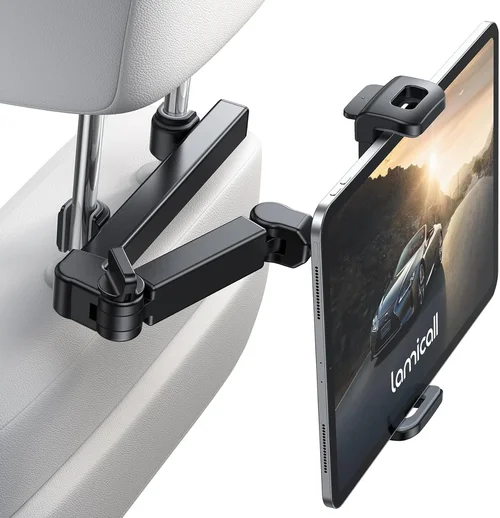
When you’re driving an SUV—especially with kids, teens, or passengers who love to stay connected—keeping everyone entertained and comfortable on long road trips or daily commutes can be a real challenge. That’s where a high-quality tablet holder for the backseat comes in. Whether you’re streaming movies during a cross-country family vacation, helping your teen study via educational apps, or simply keeping passengers occupied during traffic jams, a reliable backseat tablet mount transforms your vehicle into a mobile entertainment hub. But not all tablet holders are created equal. With dozens of options flooding the market—ranging from flimsy plastic clips to heavy-duty, adjustable mounts with 360-degree rotation—it’s easy to get overwhelmed by choices that promise convenience but deliver frustration.
This comprehensive buying guide is designed to cut through the noise and help you make a smart, informed decision. Whether you’re a parent looking to keep your kids calm on a 6-hour drive, a rideshare driver aiming to enhance passenger experience, or a tech-savvy traveler who values functionality and durability, this guide will walk you through everything you need to know. You’ll learn how to evaluate key features like adjustability, stability, ease of installation, and compatibility with different tablet sizes. We’ll also break down the pros and cons of various mounting systems, compare price ranges, highlight common pitfalls to avoid, and share expert tips for getting the best value. By the end, you’ll have a clear roadmap to choosing the perfect SUV backseat tablet holder that fits your needs, budget, and lifestyle.
The market for in-vehicle tablet mounts has exploded in recent years, driven by the rise of streaming services, remote learning, and the growing popularity of tablets as portable entertainment devices. According to industry reports, global sales of car accessories—including tablet holders—are projected to grow at over 8% annually through 2026, with SUV owners representing one of the largest customer segments. This surge has led to innovation in design, materials, and functionality, but it’s also resulted in a flood of low-quality products that fail under real-world use. From mounts that wobble at highway speeds to clamps that scratch headrests or break after a few months, the wrong choice can turn a helpful accessory into a source of frustration. That’s why understanding what truly matters—beyond flashy marketing claims—is essential. This guide will equip you with the knowledge to identify top-tier products, avoid costly mistakes, and invest in a solution that delivers long-term reliability and performance.

What to Look for When Buying Buying Guide
1. Compatibility with Tablet Size and Weight
One of the most critical factors when selecting a backseat tablet holder is ensuring it can securely accommodate your specific device. Tablets come in a wide range of sizes—from compact 7-inch models like the iPad Mini to larger 12.9-inch tablets such as the iPad Pro or Samsung Galaxy Tab S9 Ultra. A holder that works perfectly for a small tablet may not provide enough grip or support for a heavier, larger device, leading to slippage or even damage. Always check the manufacturer’s listed weight and size limits before purchasing. Look for holders with adjustable arms or expandable grips that can expand from around 5 inches to over 9 inches wide, ensuring a snug fit regardless of your tablet’s dimensions. Additionally, consider whether the holder supports both portrait and landscape orientations—this flexibility is especially useful for watching videos, video calls, or using navigation apps. Some premium models even include anti-slip silicone pads or spring-loaded clamps that gently but firmly hold the tablet without blocking ports or buttons.
2. Mounting System and Installation Ease
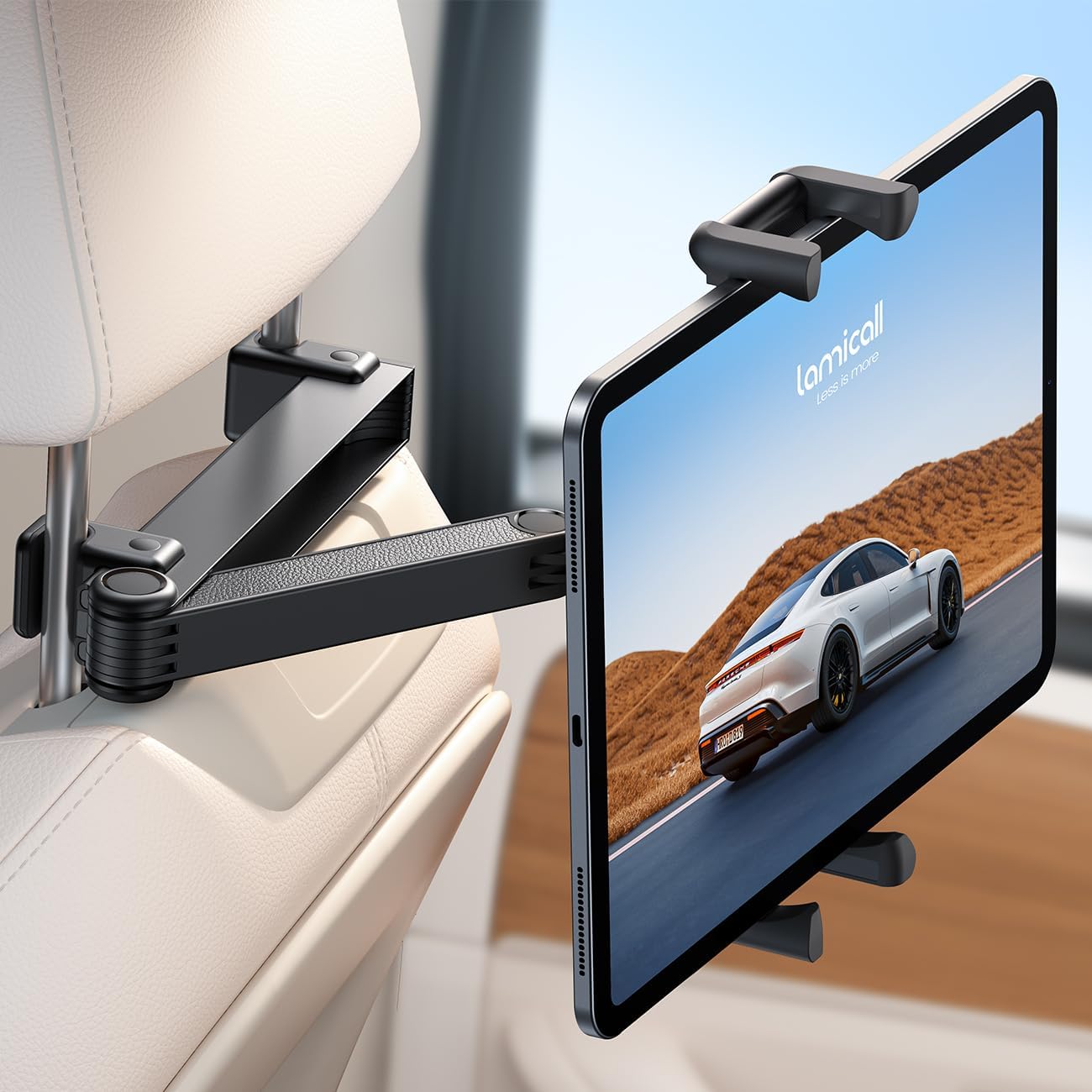
How the tablet holder attaches to your SUV’s interior plays a major role in both usability and safety. The three most common mounting methods are headrest-based, seatback strap, and suction cup systems. Headrest mounts are popular because they’re typically easy to install—simply slide the clamp over the headrest post and tighten. However, they require compatible headrests with removable or exposed posts, which not all SUVs have. Seatback strap systems use adjustable nylon webbing to secure the holder to the back of the front seat; these are versatile and work with most vehicles but may sag over time if not tightened properly. Suction cup mounts attach directly to the window or dashboard, offering a clean look but potentially losing grip in extreme temperatures or on textured surfaces. Whichever method you choose, prioritize quick, tool-free installation. You don’t want to spend 20 minutes setting up the mount every time you get in the car. Also, ensure the mount doesn’t obstruct airbags, seatbelts, or passenger movement—safety should never be compromised for convenience.
3. Adjustability and Viewing Angles
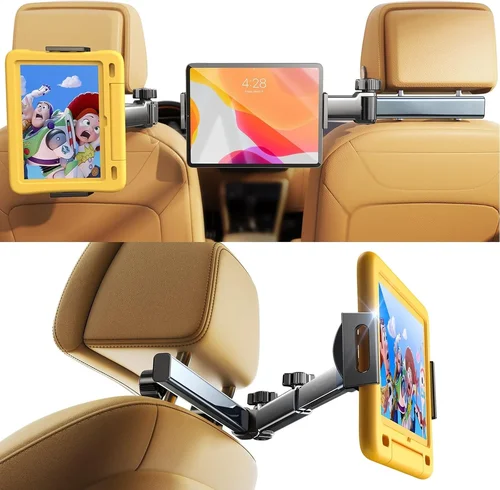
A great tablet holder should offer multiple degrees of freedom so passengers can find the most comfortable viewing angle. Look for models with ball-and-socket joints, 360-degree rotating heads, and extendable arms that allow tilting, swiveling, and height adjustment. This is particularly important in SUVs, where second- and third-row seating positions vary widely. For example, a child in a booster seat may need the tablet angled downward, while a tall adult in the third row might prefer it raised and tilted back. Some advanced holders even feature dual-arm designs that let two passengers share one tablet or position it between seats. Avoid fixed-angle mounts—they may look sleek but often force awkward neck positions during extended use. The best designs balance flexibility with stability: they should hold firm once positioned but move smoothly when adjusted. Test reviews frequently mention whether the joints “lock” securely or tend to drift during bumpy drives.
4. Build Quality and Durability
Given that SUVs often travel on rough terrain, encounter temperature fluctuations, and are used by multiple passengers, your tablet holder must be built to last. Cheap plastic components may crack under stress or warp in hot weather, while weak metal arms can bend or loosen over time. Opt for holders made from reinforced ABS plastic, aluminum alloy, or high-grade steel. These materials resist wear, corrosion, and UV damage—especially important if your SUV spends time parked in direct sunlight. Pay attention to hinge mechanisms: ball joints should feel tight and smooth, not loose or gritty. Also, check customer photos and videos to see how the product holds up after months of use. A well-built holder will maintain its shape and function even after repeated adjustments and exposure to dust, moisture, or accidental bumps. Durability directly impacts long-term value—spending $50 on a sturdy mount that lasts three years is smarter than buying three $20 models that fail within months.
5. Stability and Vibration Resistance
Nothing ruins the viewing experience faster than a wobbly tablet that shakes with every bump in the road. Stability is especially crucial in larger SUVs, which often have longer wheelbases and ride heights that amplify vibrations. A quality holder should minimize movement through a combination of strong clamping force, shock-absorbing materials, and a low center of gravity. Look for features like rubberized grips, reinforced arms, and weighted bases (in seatback models). Some premium holders incorporate damping technology or flexible gooseneck arms that absorb road vibrations without sacrificing adjustability. Read user reviews carefully—many buyers specifically mention whether the tablet stays steady during highway driving or off-road adventures. If possible, test the mount in your own vehicle before committing. A stable setup not only improves comfort but also protects your tablet from accidental drops or screen damage caused by excessive jostling.
6. Safety and Passenger Comfort
While functionality is important, never overlook safety implications. A poorly designed tablet holder can become a hazard in the event of sudden braking or a collision. Ensure the mount doesn’t protrude into the passenger’s space or create sharp edges. Ideally, it should be positioned so the tablet sits within the passenger’s natural line of sight—not too high (causing neck strain) or too low (blocking legroom). Some models include protective bumpers or soft-touch finishes to prevent scratches on seats or headrests. Additionally, consider cable management: if you’re using a charging cable, look for holders with built-in routing channels or clips to keep cords tidy and out of the way. This reduces tripping hazards and prevents cables from getting tangled during adjustments. For families with young children, choose a mount that keeps the tablet within easy reach but out of the danger zone during airbag deployment.
7. Ease of Use and Passenger Accessibility
A tablet holder is only useful if passengers can operate it comfortably and independently. This means intuitive controls, smooth adjustments, and minimal effort required to insert or remove the tablet. Look for quick-release mechanisms that allow one-handed operation—especially helpful for kids or elderly passengers. Some models feature magnetic attachments or snap-in cradles that make swapping devices effortless. Also consider how easy it is to access charging ports, volume buttons, and headphone jacks while the tablet is mounted. Blocked ports can be incredibly frustrating, especially during long trips when battery life is a concern. Finally, think about cleaning and maintenance: can the holder be wiped down easily? Are there crevices where crumbs or dust accumulate? A user-friendly design enhances the overall experience and encourages consistent use.
8. Brand Reputation and Customer Support
With so many generic brands flooding online marketplaces, choosing a reputable manufacturer can save you from headaches down the road. Established brands like iOttie, RAM Mounts, Koomus, and Beam Electronics have built their reputations on reliability, innovation, and responsive customer service. They often provide detailed installation guides, video tutorials, and responsive support teams. In contrast, no-name brands may offer tempting prices but frequently lack warranties, return policies, or replacement parts. Before buying, research the company’s history, read verified customer reviews across multiple platforms (Amazon, Best Buy, Reddit), and check if they offer a satisfaction guarantee or extended warranty. A strong brand doesn’t just sell a product—it stands behind it. This becomes especially valuable if you encounter defects, need spare parts, or want to exchange the product after purchase.
Different Types of Buying Guide
Common Buying Mistakes to Avoid
❌ Mistake: Ignoring Tablet Size Compatibility
Why it’s bad: Buying a holder designed only for small tablets can result in a loose fit, constant slipping, or even damage to your larger device. Many budget models advertise “universal” compatibility but fail to support tablets over 10 inches or 1.5 pounds.
What to do instead: Always verify the maximum width, height, and weight capacity listed in the product specs. Measure your tablet and compare it to the holder’s range. When in doubt, choose an adjustable model with expandable arms and reinforced grips.
❌ Mistake: Choosing Based Solely on Price
Why it’s bad: The cheapest options often use brittle plastics, weak joints, and poor clamping mechanisms that break within weeks. You end up spending more replacing failed units than you would have on a quality product upfront.
What to do instead: View price as one factor among many. A $35 mid-range holder with solid reviews and a warranty often outperforms a $15 “bargain” that fails after two trips. Invest in durability—it pays off in the long run.
❌ Mistake: Overlooking Installation Requirements
Why it’s bad: Some mounts require specific headrest designs, seat materials, or even drilling. Installing a headrest mount on a vehicle with integrated headrests (common in luxury SUVs) can damage the interior or void warranties.
What to do instead: Check your SUV’s seat configuration before buying. If your headrests don’t have removable posts, opt for a seatback strap or suction cup system. Always read installation instructions and watch demo videos.
❌ Mistake: Neglecting Vibration and Road Conditions
Why it’s bad: A mount that works fine in city driving may shake uncontrollably on highways or gravel roads, making the screen hard to read and increasing wear on the tablet.
What to do instead: Prioritize holders with shock-absorbing features like rubberized joints, flexible arms, or weighted bases. Look for user testimonials mentioning performance on rough terrain or long-distance travel.
❌ Mistake: Forgetting About Charging and Cable Management
Why it’s bad: A tangled charging cable can fall into seat gaps, get caught in mechanisms, or become a tripping hazard. Blocked ports also make it impossible to charge while mounted.
What to do instead: Choose a holder with built-in cable routing, side cutouts for ports, or magnetic charging compatibility. Consider wireless charging models if your tablet supports it—this eliminates cables entirely.
❌ Mistake: Disregarding Passenger Age and Ability
Why it’s bad: A complex mount with tiny knobs and stiff joints may be impossible for young children or elderly passengers to operate independently, reducing usability.
What to do instead: Select intuitive designs with large adjustment levers, quick-release buttons, and smooth motion. Test the mount with your intended users if possible.
Budget Guidelines: How Much Should You Spend?
Entry-Level ($15–$30): This tier includes basic seatback strap mounts and simple headrest clamps. Expect lightweight construction, limited adjustability, and minimal vibration resistance. These are suitable for occasional use with smaller tablets but may not withstand daily wear or heavy devices. Ideal for budget-conscious buyers who need a temporary solution.
Mid-Range ($30–$60): The sweet spot for most SUV owners. These holders offer better materials (aluminum arms, reinforced plastic), improved stability, and full 360-degree rotation. Many include silicone padding, dual-arm designs, and easy one-hand operation. Brands like Koomus and Beam Electronics dominate this category with reliable, feature-rich options.
Premium ($60–$100): Designed for frequent travelers and tech enthusiasts, these models boast advanced features like gooseneck flex arms, magnetic mounts, wireless charging, and military-grade durability. RAM Mounts and iOttie lead here with modular systems that can be upgraded over time. Excellent for off-roading, long road trips, or professional use.
Luxury ($100+): Top-tier holders with custom engineering, premium finishes (anodized aluminum, leather accents), and smart integration (Bluetooth controls, auto-tilt sensors). Often sold by specialty automotive accessory brands, these are overkill for most users but ideal for luxury SUV owners who demand perfection.
Expert Tips for Getting the Best Deal
– Shop during holiday sales: Black Friday, Cyber Monday, and Amazon Prime Day often feature 20–40% discounts on car accessories. Sign up for retailer newsletters to get early alerts.
– Buy directly from brand websites: Many manufacturers offer exclusive bundles, extended warranties, or free shipping that you won’t find on third-party sellers.
– Check return policies: Ensure the seller allows returns within at least 30 days—especially important if you’re unsure about fit or compatibility.
– Read recent reviews: Product quality can change over time. Focus on reviews from the past 6–12 months for the most accurate picture.
– Test in your vehicle: If buying in-store, bring your tablet and try the mount on your SUV’s seats. Online buyers should watch unboxing and installation videos.
– Look for bundle deals: Some kits include screen protectors, charging cables, or carrying cases—adding value without extra cost.
– Consider refurbished models: Certified refurbished holders from reputable brands often come with full warranties at 20–30% off retail.

Frequently Asked Questions
Q: Will a tablet holder damage my SUV’s headrest or seats?
A: High-quality holders are designed to protect your interior. Look for models with soft silicone padding, non-slip coatings, and gentle clamping force. Avoid cheap metal clamps without protective sleeves—they can scratch or dent headrest posts.
Q: Can I use a tablet holder with a car seat or booster?
A: Yes, but position it carefully. Ensure the mount doesn’t interfere with the child’s seatbelt or head support. Seatback strap mounts are often safest, as they don’t extend into the child’s space.
Q: Do tablet holders work with cases on?
A: Most do, but thick cases (like rugged OtterBox styles) may reduce grip or block ports. Choose a holder with deep side grips or adjustable width to accommodate cased tablets.
Q: Are suction cup mounts reliable in extreme temperatures?
A: Suction cups can lose grip in very hot or cold conditions. For year-round reliability, especially in climates with freezing winters or scorching summers, prefer headrest or seatback mounts.
Q: How do I clean my tablet holder?
A: Wipe down with a damp microfiber cloth and mild soap. Avoid harsh chemicals that can degrade rubber or plastic. For stubborn grime, use a soft brush to clean joints and crevices.
Q: Can I mount a tablet in the third row of my SUV?
A: It’s challenging due to distance and limited mounting points. Consider a long gooseneck arm or a dual-seat shared mount that spans between second-row seats. Alternatively, use a portable stand for third-row passengers.
Q: Are there holders that support wireless charging?
A: Yes! Several premium models now integrate Qi wireless charging pads. Ensure your tablet supports wireless charging and that the mount provides sufficient power (look for 10W+ output).
Q: What’s the difference between a ball joint and a gooseneck?
A: Ball joints offer precise, locked positioning but limited flexibility. Goosenecks provide continuous bendability and better vibration absorption, ideal for rough roads.
Our Final Recommendations
Best for Budget-Conscious Buyers: Koomus Windshield & Headrest Mount – At under $30, it offers solid build quality, 360-degree rotation, and compatibility with most tablets. Great for occasional use.
Best Overall Value: Beam Electronics BE-720 – Priced around $45, this headrest mount features aluminum arms, silicone grips, and smooth adjustments. Consistently praised for durability and ease of use.
Best Premium Option: RAM Mounts X-Grip with Double Socket Arm – Modular, ultra-stable, and built to last. Perfect for off-roaders and frequent travelers who demand professional-grade performance.
Best for Beginners: iOttie Easy One Touch 5 – Intuitive one-touch release, strong suction, and excellent customer support. Ideal for first-time buyers.
Best for Advanced Users: Arkon Gooseneck Tablet Mount – With a 15-inch flexible arm, vibration dampening, and universal compatibility, it’s the ultimate tool for custom setups and rugged use.
Conclusion: Making the Right Choice
Choosing the right SUV backseat tablet holder isn’t just about convenience—it’s about enhancing safety, comfort, and enjoyment for everyone in your vehicle. By focusing on compatibility, stability, ease of use, and build quality, you can avoid the pitfalls of cheap imitations and invest in a solution that truly delivers. Remember, the best holder is the one that fits your specific needs: your SUV model, your tablet size, your typical passengers, and your driving conditions. Don’t rush the decision. Take time to compare options, read real user experiences, and prioritize long-term value over short-term savings. Whether you’re gearing up for a summer road trip or just trying to make the daily school run more bearable, the right tablet mount can make all the difference. So go ahead—upgrade your ride, keep your passengers happy, and turn every journey into a connected, comfortable adventure.